Category Archives: TraceFinder 3.0
TF3.0 – Using Estimated/Semi-Quan Amounts
In certain parts of TraceFinder and LabForms, we had exposed the ability to use estimated amounts of substances that did not have their own calibration curve. This feature goes back to the days of the Incos data systems, circa 1980.
In TF 3.0 we have exposed this capability, to be a bit more friendly to use and to be interactive in the user interface, versus just report generated.
In the following video, you will see where to set a compound to use the estimated feature and how it is displayed throughout the applications with visual clues to help you determine that the results you are observing is a semi-quantitative amount.
If the video is blurry please click the cog wheel at the bottom of the panel and increase the video display resolution.
TF 3.0 Converting Data from older versions for use in TF 3.0
In TF 3.0 there were alot of enhancements to how we handles the data. So we made sure that you can can seamlessly review your data created in previous versions.
Also all your templates and methods can be converted.
The Legacy Data Converter allows for browsing to all stored data locations and can replicate the original folder structure to fit within the TF 3.0 framework. Once converted you will be able to browse, review and report any of your old data in TF 3.0, but the original results and files remain in their locations so that the batches, method and templates are never destroyed.
If the video is blurry please click the cog wheel at the bottom of the panel and increase the video display resolution.
TF 3.0 to be released Monday Jan 28th. – Installation Guide
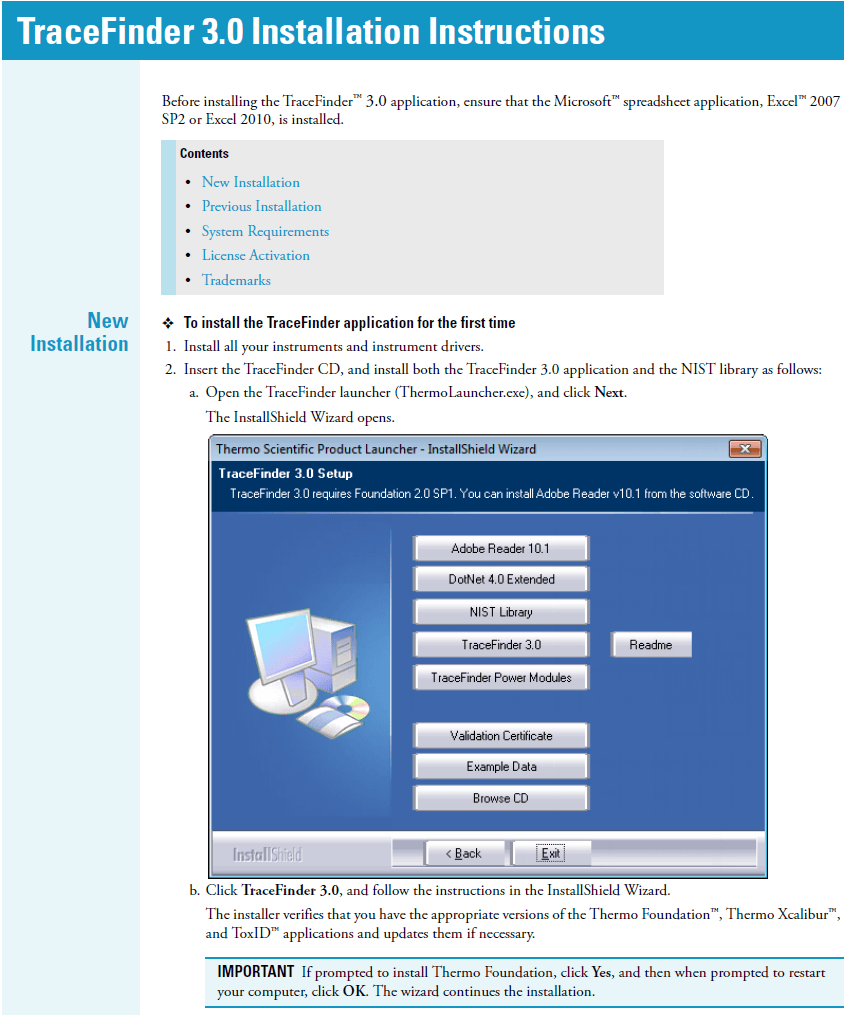
Here is the installation guide for TF 3.0
It covers how to install on a new system and how to upgrade currently existing systems.
Also the guide covers how to fill out and send in the registration codes to fully unlock TF 3.0.
TF 3.0 comes with a 120 day trial license, and will remind you each time you open the application to request a license.
The installation of “Power Modules” of Multiplexing Support and Intelligent Sequencing are covered under separate licenses, so they are requested separately from the main TF 3.0 process.
Link to TF 3.0 Installation Guide
Back After A Long Holiday – Inheriting ExactFinder in TraceFinder 3.0
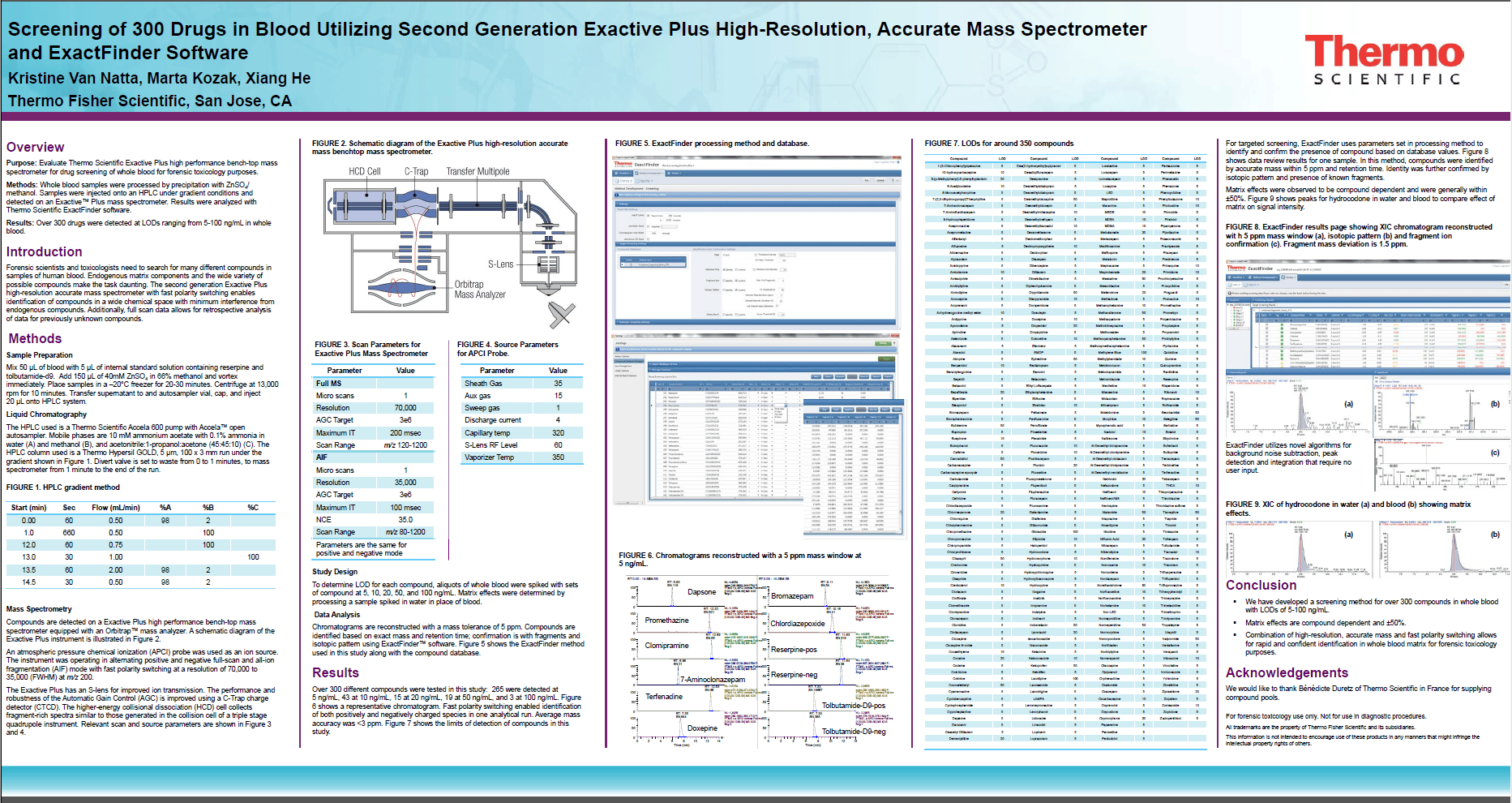
Below is an application note for ExactFinder, that deals with Targeted Screening.
This capability has now been moved into TF 3.0, so going forward those who have EF will be able to do the same functionality.
On the Plus side is that you can do it with a system that acquires and processes on the fly, versus batch processing. This will give you real time analysis and lets you see data/reports soon as the sample is done. NO WAITING.
Also with this capability and the export functions in the data review grid, there is an enhanced method development workflow that has been mapped out, which we will discuss in a later blog.
Link to PDF of Poster:
ASMS2012_KVanNatta_PO63569_Exactive-Plus_ForTox-sm
TF 3.0 uhhhh… Where did Configuration go?
TraceFinder has a few options that can be configured for use in the applications. These includes Power Modules which add significant functionality to default settings that a user has determined work best for them. Such as the use of PPM versus MMU for extracted mass range determination behind the scenes.
In previous versions the configuration mode was accessible in the main navigation panel, typically displayed on the left hand side of the screen.
It is now an always present COG wheel, in the upper right hand corner of the application screen.
So watch the video below to see how to access Configuration and what each section and specifically what some of the options do in and for the applications.
If the video is blurry please click the cog wheel at the bottom of the panel and increase the video display resolution.
New Look and Feel for the Compound Database in TF 3.0
When TraceFinder originally launched we introduced the concept of using a compound data base for storing compound information for use later in method development.
Over the last couple of years we’ve found that more information was needed for use in some complex experiments that were becoming more common.
So we had several discussions with customers, on how to make this an easier process to get data in and alter it once it was in.
In TraceFinder 3.0 you will find a completely new user interface for the CDB. It allows for a detailed view and editing of data needed for Quantitative and Targeted Screening experiments. More ease of use features are yet to come but if you were a user in the past, you should find this interface quite a bit simpler to use.
We have also incorporated the ability to export all the data to Excel for grid type editing and then reimport the changes.
If you have compound data stores from legacy versions of TraceFinder or compound data bases from ExactFinder, simply choose the file and import it. TraceFinder converts and validates the data into the TF 3.0 format.
You can get an overview of the CDB in the video below.
If the video is blurry please click the cog wheel at the bottom of the panel and increase the video display resolution.
Intelligent Sequencing – Step One – Setting up the method
Intelligent Sequencing is not a new concept. In the late 90’s Thermo had an application called ToxLab which used the concept of flagging data and altering the sequence of the set of samples based on failure criteria.
This allows for insertion of blanks, reinjection of sample or a combination according to criteria that a chemist would normal use to look at his data the next day to determine, which if any samples had to be rerun.
Intel Seq just does this on the fly.
It allows the user to have confidence that the data will be handled in the prescribed manner using the existing on the fly criteria that has existed in TraceFinder for a number of years.
By using this feature the chemist can cut back time on reinjections and sometimes on sample prep since the sample wouldn’t have evaporated. Also it will not have gone beyond the sample stability time threshold before reinjection occurs.
The first part of the operation is setting flagging criteria as you have done previously.
The next is setting of the method criteria for Intel Sequencing.
If the video is blurry please click the cog wheel at the bottom of the panel and increase the video display resolution.
TF 3.0 Export Results Grid to Excel and Copy Images to Clip Board
Sticking to new features in data review, we’ll continue with a simple workflow.
One of the many request that TraceFinder has received over the last year has been to have the ability to export the results grid directly to Excel instead of having a Custom Report generated.
In TF 3.0 all data grid results whether in the quantitative views or targeted screening section, export all data to Excel or CSV files directly.
No need to produce a custom report and navigate through the files menus to go get it.
Simply export and place the file where you want it.
Also a feature that has been requested is the ability to copy high definition images of chromatograms and such to the clipboard for use in papers, lab notebooks and presentations/posters.
We also did this in TF 3.0
If the video is blurry please click the cog wheel at the bottom of the panel and increase the video display resolution.
New TF 3.0 Targeted Screening Workflow in Data Review (or the marriage of TF and ExactFinder)
A new feature to TraceFinder 3.0 is targeted screening. The workflow and method setup that were included in ExactFinder has been included in TraceFinder 3.0. Though it has been expanded to support Nominal Mass as well as HRAM.
That means this feature will work for all mass spectrometers from the GC single quads to the Q-Exactive.
Though some sections are more geared for HRAM, they can just not be used when using nominal mass data.
The other aspect is that TF gives you the ability to acquire, process and report on the fly during acquisition. Therefore, if you so choose you don’t have to wait to review your data. So this expands the capabilities that was introduced in ExactFinder.
This is our first step with this functionality and more is to come in following releases, but there are some interesting things that can be done by having these two workflows combined.
Again the video is a little longer that my 2 minute rule but there is a lot to look forward to.
If the video is blurry please click the cog wheel at the bottom of the panel and increase the video display resolution.
