Issue with Column Arrangement in Data Review-How to Avoid and How to Fix
Some have experineced an issue when starting the application after rearranging columns in data review.
They recieve a .Net framework error that states that columns have been arranged to the left of frozen columns.
This is a known issue that will be fixed in the next version of TraceFinder.
To avoid the issue the columns in the image below should remain the farthest to the left on the data review grids.
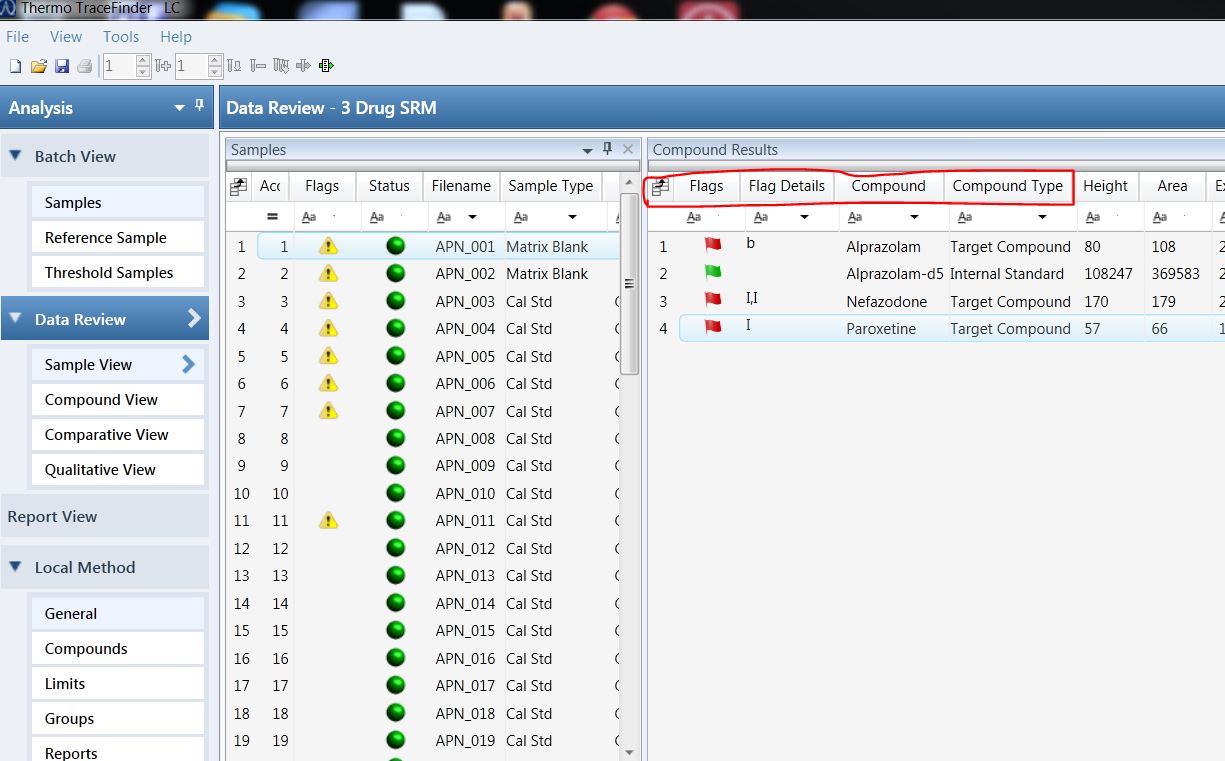
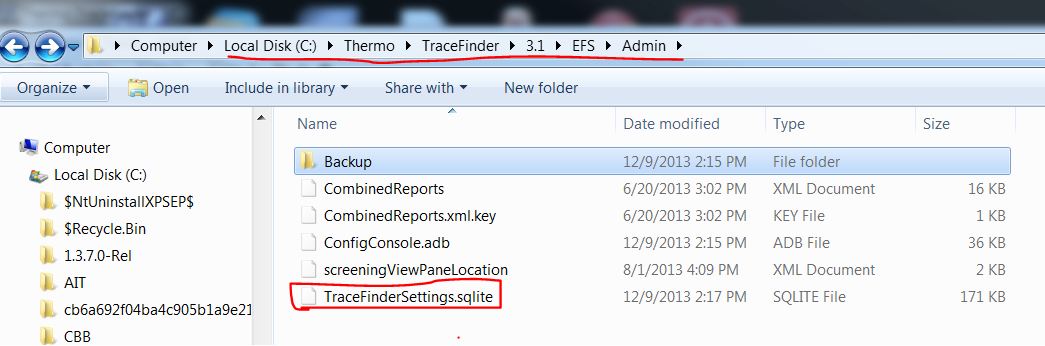
If you experience the issue, rename the file tracefindersettings.sqlite to TraceFindersettings_old.sqlite and restart the application.
The factory default settings backup file will be automatically recreate the tracefindersettings.sqlite file.
The image below shows the directory path to the file.
Note that the directory path is dependant on the version of TraceFinder that it is installed.

Posted on January 22, 2014, in Ask a guru answer, TraceFinder 3.1, Troubleshooting. Bookmark the permalink. Leave a comment.

Leave a comment
Comments 0